
How Does an AI Tutor Work? A Plain-English Look Under the Hood
An AI tutor is software that gives each learner one-on-one, adaptive instruction — and a good AI tutor works by combining a large language model with a running model of what you personally know. According to a comprehensive review of AI-based intelligent tutoring systems, this pairing is what separates a real tutor from a chatbot that simply answers questions.
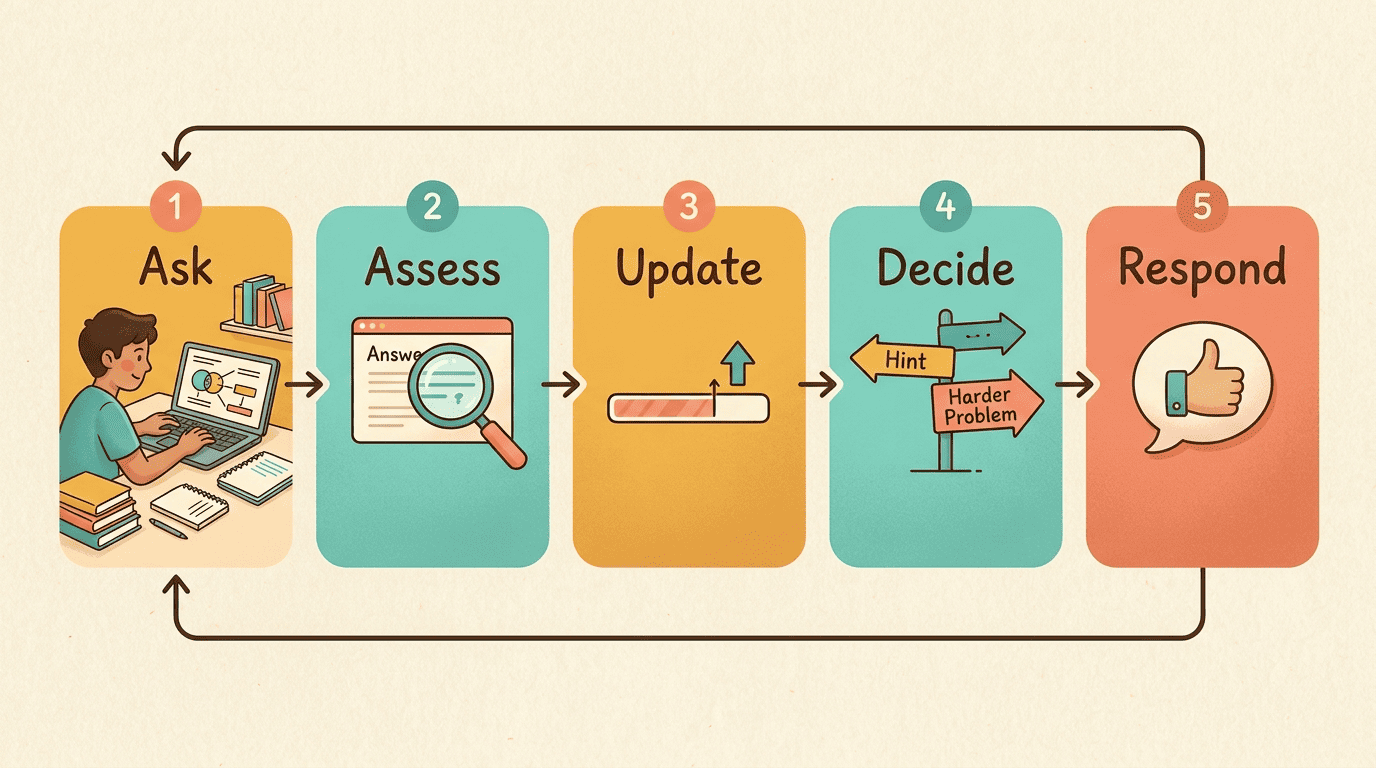
In short: it reads your question, checks it against an expert knowledge base, updates its estimate of your skill, then decides what to say next — a hint, an explanation, or a harder problem. This article opens each of those steps up.
What an AI Tutor Actually Is
An AI tutor is not just a chat window with a subject-matter prompt attached. It is a piece of software purpose-built to teach: it withholds answers on purpose, tracks what you know across a session, and changes its own behavior based on that tracking. A personal AI tutor and a general-purpose chatbot can run on the exact same language model underneath and still behave completely differently, because the tutor wraps that model in teaching logic.
From early rule-based tutors to today’s chatbots
Intelligent Tutoring Systems (ITS) research dates back to the 1970s, and by the 1980s it had produced rule-based systems like GUIDON, built on expert medical knowledge, and the LISP Tutor developed at Carnegie Mellon. Those systems used hand-coded rules to decide what to say next. Modern AI tutoring systems add a large language model on top of that older research, so instead of fixed scripts they hold a natural, flexible dialogue with the learner.
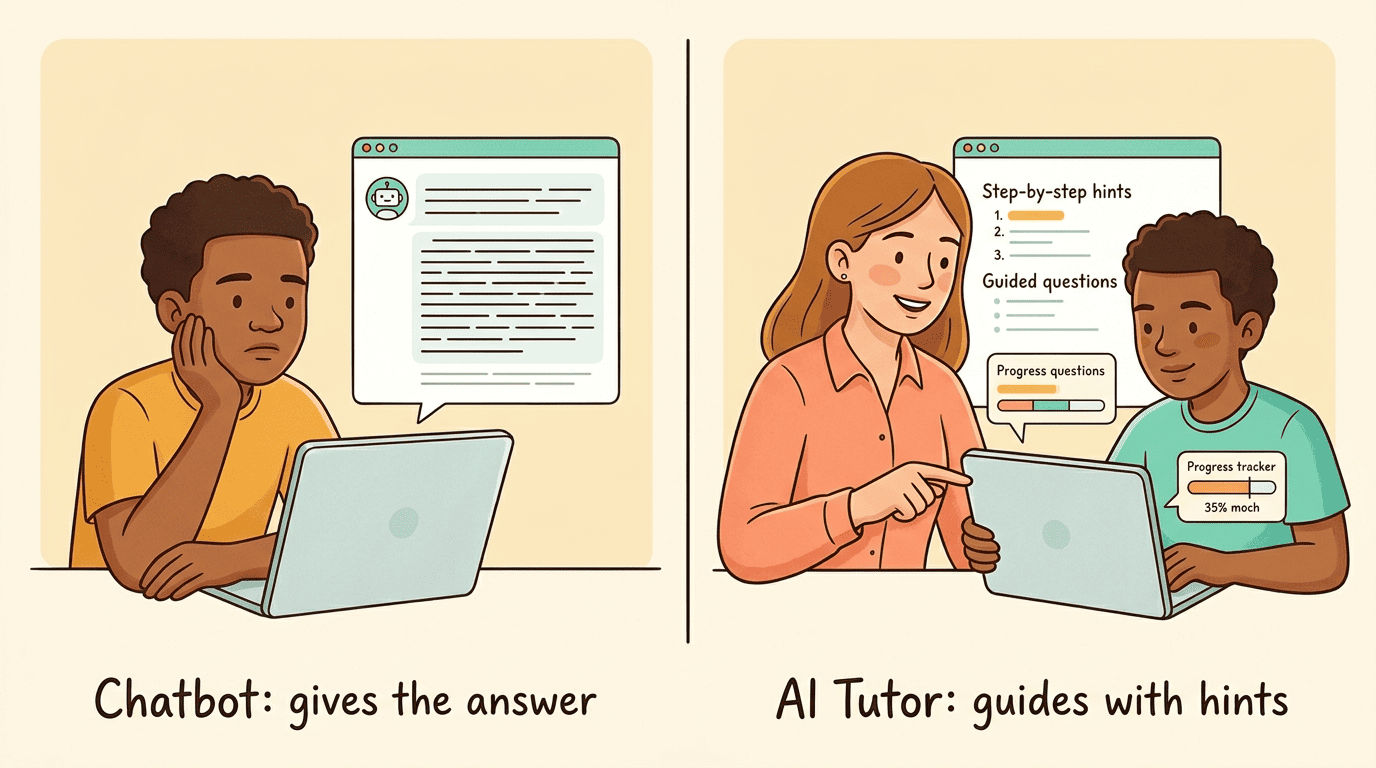
The distinction still matters: a plain chatbot answers whatever it’s asked. A tutor is engineered to teach — it withholds the final answer when appropriate, offers hints in stages, and keeps a record of your progress from one question to the next. In practice, a handful of behaviors separate the two:
- It asks follow-up questions instead of jumping straight to a solution
- It remembers what you struggled with earlier in the same session
- It changes its explanations when your first answer suggests a gap
- It tracks progress across multiple sessions, not just one exchange
The Four-Model Architecture Behind the Curtain
Most working intelligent tutoring systems are built from the same four components, whether the underlying engine is a rule-based system from the 1980s or a modern LLM. Understanding these four pieces explains almost everything an AI-powered tutor does on screen.
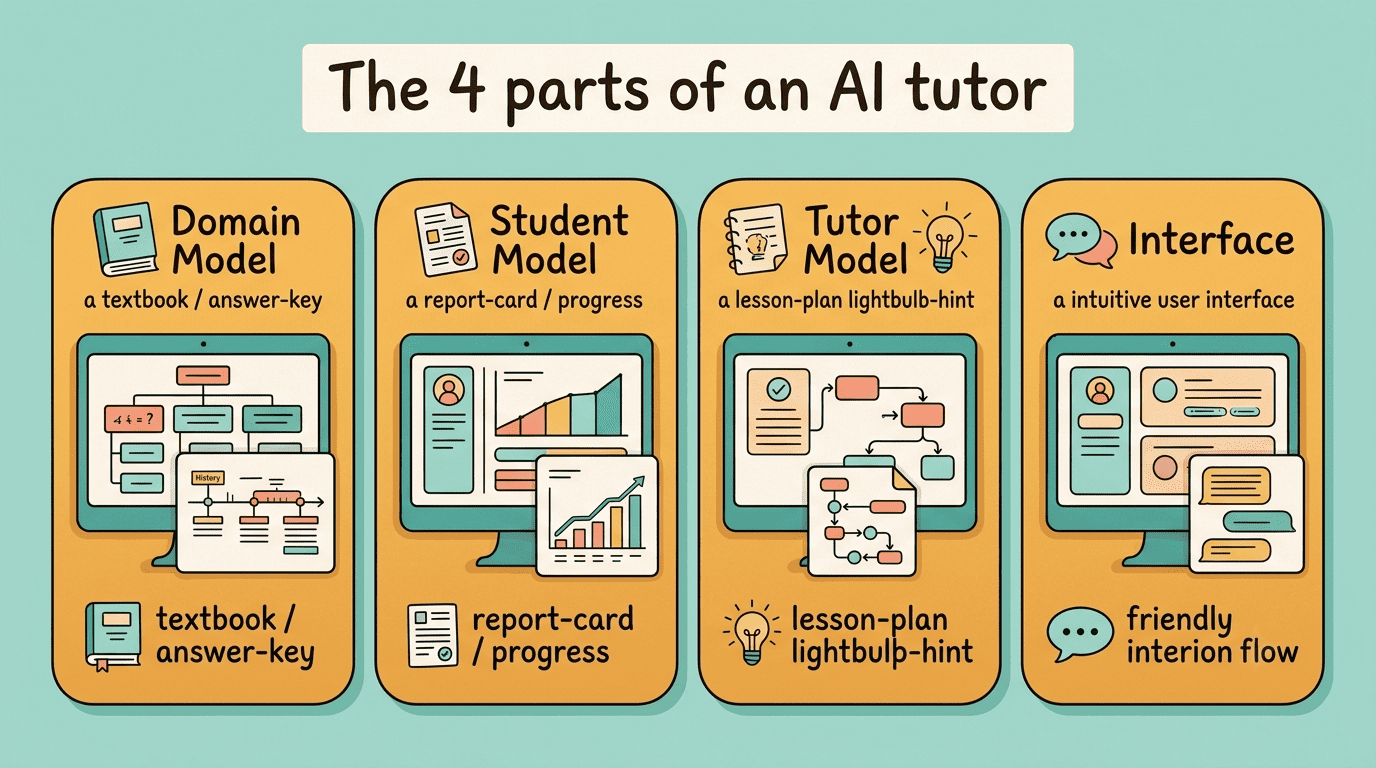
Domain Model — the expert knowledge base. It holds the concepts, rules, and problem-solving strategies of the subject being taught, acting as the “answer key” the tutor checks your work against. It’s detailed enough to pinpoint exactly where in a multi-step problem an error happened — not just that the final answer was wrong.
Student Model — a living profile of what you know. It tracks your knowledge state: which concepts you’ve mastered, which are shaky, and which prerequisites might be missing entirely. It’s refined continuously using knowledge tracing and Bayesian networks, statistical methods that estimate the probability you truly understand a skill, so the estimate sharpens with every answer you give.
Tutor Model — the teaching strategy. It decides when and how to intervene: whether to drop a small hint, re-explain a concept from scratch, or raise the difficulty because you’re coasting. This is where scaffolding lives — stepwise hints instead of the final answer, so you do the cognitive work yourself.
User Interface — the conversation layer. This is the chat or quiz surface where the language model turns everything the other three models decided into natural explanations, follow-up questions, and feedback you can actually read.
| Component | What it does | Analogy |
|---|---|---|
| Domain Model | Holds correct concepts and problem-solving rules | The answer key and textbook |
| Student Model | Tracks your mastery of each concept | Your ongoing report card |
| Tutor Model | Decides the next teaching move | The lesson plan in real time |
| User Interface | Delivers it all in natural language | The classroom conversation |
One Tutoring Session, Step by Step
A single exchange with an AI study tutor is not one request and one reply — it’s a loop that repeats after every message, continuously reassessing what you know.
The loop: ask, assess, update, decide, respond
- You ask a question or attempt a problem.
- Natural language processing parses what you typed; the Domain Model checks it against the correct approach and locates the specific error.
- The Student Model updates its estimate of your mastery for that concept.
- The Tutor Model picks the next move — a hint, a fuller explanation, or a harder item if you’re ready.
- The language model phrases the response in plain language, and the loop repeats.
Assessment in this loop is continuous — the system evaluates your understanding after each interaction, not only at a final exam, which is why real-time feedback feels immediate rather than delayed by days. A few signals typically drive what the Tutor Model chooses at step four:
- A wrong answer with the right method suggests a small hint is enough
- A wrong answer with no clear method suggests a full re-explanation
- Several correct answers in a row suggest it’s time to raise the difficulty
- A long pause or repeated attempts suggest the current explanation isn’t landing
The Technology Stack That Powers It
Underneath the conversation, an AI tutoring system leans on several distinct technologies, each responsible for a different part of the job.
Large language models generate the explanations. They produce the natural hints, worked examples, and follow-up questions you actually read, phrasing the same underlying concept differently depending on how you’re struggling.
Natural language processing interprets what you typed. It handles messy input — typos, half-finished sentences, shorthand — and turns it into something the Domain Model can check.
Knowledge tracing estimates your mastery. Often built on Bayesian methods, it converts your answer history into a probability that you’ve actually mastered a given skill, not just gotten lucky once.
Reinforcement learning optimizes the teaching strategy itself. Some systems, including research prototypes like Korbit, use reinforcement learning to work out which sequence of hints, questions, and difficulty changes best drives learning over time, rather than hand-coding that sequence in advance.
How It Personalizes to You
Personalization is the feature that separates adaptive learning from a static workbook, and it shows up in a few concrete, testable ways.
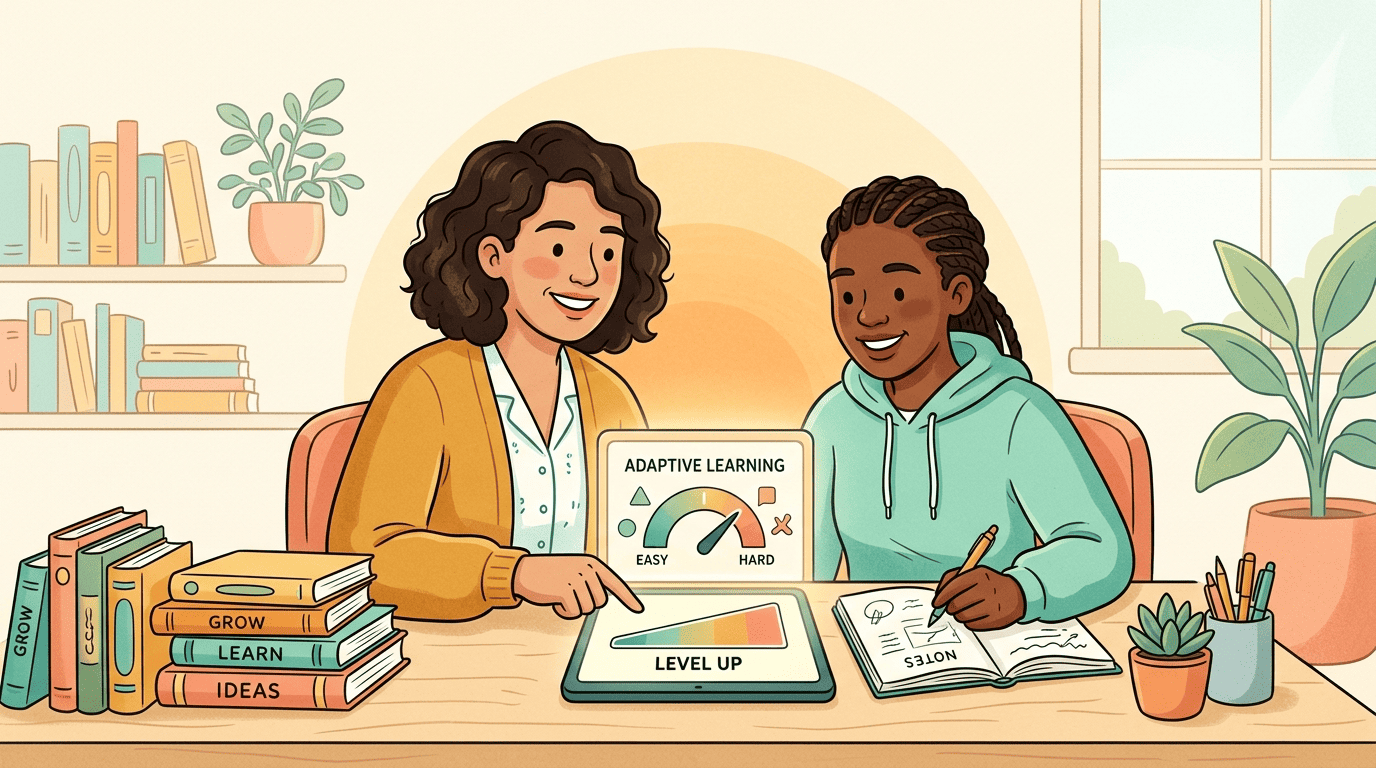
If your pace accelerates, the material gets harder; if you visibly struggle, it eases back — the same adaptive-difficulty logic that underlies the Student Model’s continuous updates described earlier. A well-built AI-powered tutor also schedules review sessions using spaced repetition, and forces active recall through retrieval practice, both grounded in cognitive-science research on long-term memory rather than invented for marketing purposes.
- Adaptive difficulty that rises or falls with your actual performance, not a fixed curriculum
- Spaced repetition that resurfaces material right before you’re likely to forget it
- Retrieval practice that makes you produce an answer instead of just recognizing one
- Availability 24/7, in dozens of languages, without scheduling a session
Does It Actually Work? What the Studies Say
The claims above are testable, and several large studies have tested them directly.
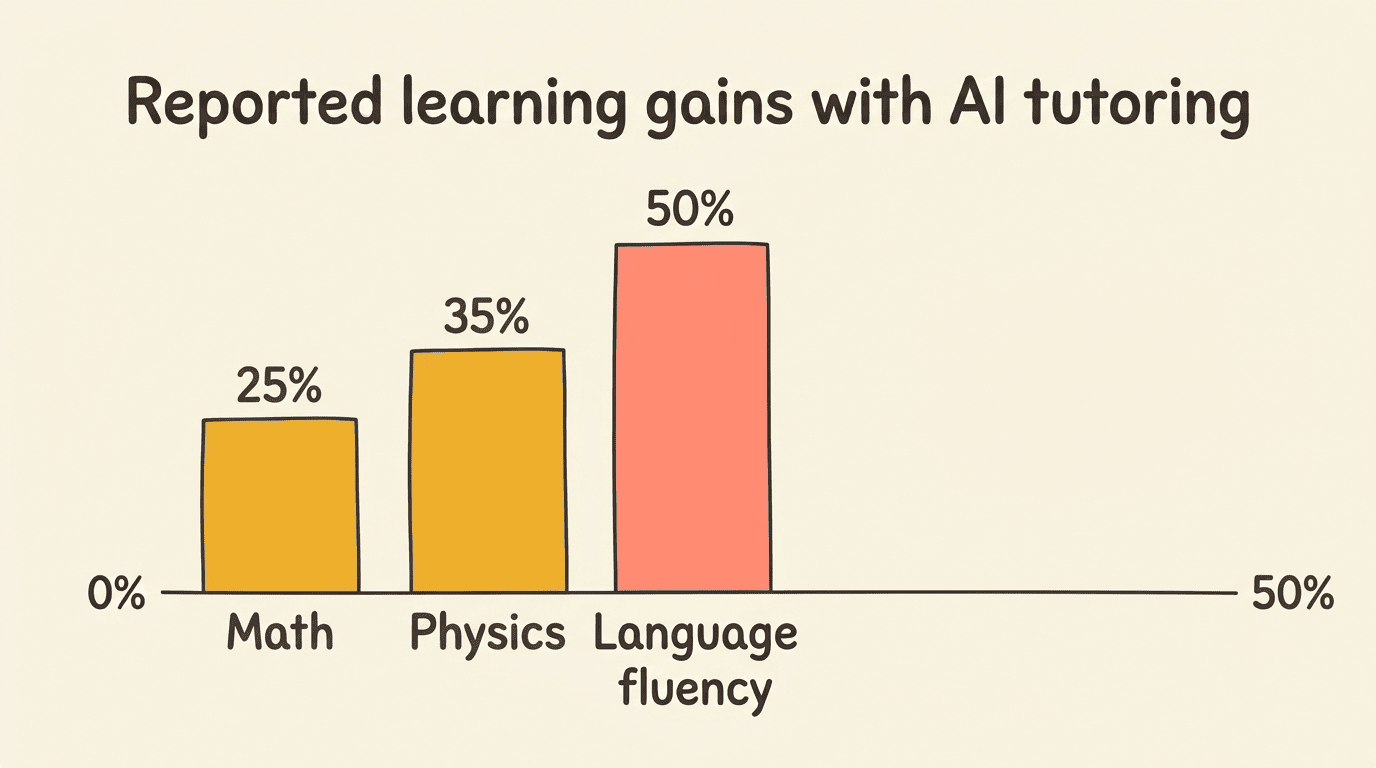
A 2014 meta-analysis covering 14,321 participants found intelligent tutoring systems produced a g=0.42 learning advantage over standard classroom instruction, and roughly matched the effect of human tutors — a notable result, since one-on-one human tutoring has long been considered the gold standard for learning gains. A 2025 Harvard physics randomized controlled trial with 194 students found the AI-tutored group’s learning gains were more than double those of an active-learning classroom group, and reached that result about 10 minutes faster per session. Reported domain-specific gains elsewhere include roughly +25% in math and +35% in physics.
| Study | Sample | Result |
|---|---|---|
| 2014 meta-analysis | 14,321 participants | g=0.42 advantage over classroom instruction |
| 2025 Harvard physics RCT | 194 students | Gains 2x+ an active-learning classroom group, ~10 minutes faster |
| Domain-specific gains | Multiple courses | +25% math, +35% physics |
As Edutopia’s coverage of the guardrails research puts it, the size of the benefit depends heavily on how the system is designed — which is exactly where things can go wrong.
The Catch: Hallucinations and Why Guardrails Matter
An AI tutor without teaching-specific guardrails can produce results that look like the opposite of learning, even while the student feels like they’re doing fine.
An unguarded tutor can hurt learning
A 2024 University of Pennsylvania study covering roughly 1,000 high-school students found that students using a raw, unguarded version of ChatGPT scored 48% higher while practicing with the tool — but 17% lower on a closed-book test given afterward. The reason: about a third of their prompts were effectively “just give me the answer,” so practice performance improved while actual understanding did not. A guardrailed version of the same tutor, engineered to withhold direct answers and push scaffolded hints instead, let students solve 127% more practice problems than a no-AI control group — and, crucially, erased the test-score penalty: on the closed-book test, those students scored no worse than the no-AI control, unlike the 17% drop seen with the unguarded version.
AI, it turns out, can be a useful tutor—if it’s designed and deployed with the proper guardrails.
Daniel Leonard, Edutopia
Large language models can also hallucinate — state something confidently that is simply wrong — and their accuracy can drop by more than 30% when a question contains typos or is phrased awkwardly. That’s why even well-designed personal AI tutor products are typically built to guide rather than simply hand over solutions, and why human oversight of the underlying material still matters. A few warning signs point to a tutor that’s missing those guardrails:
- It gives the final answer the moment you ask, with no hint step in between
- It never asks you to attempt the problem yourself first
- Its explanations don’t change when you get something wrong twice in a row
- It shows the same confidence whether the answer is right or hallucinated