
AI Tutor for Coding: How to Actually Learn to Program with AI
An AI tutor for coding is an always-available study partner that explains concepts, walks through your errors line by line, and drills you with practice until the syntax sticks. A good AI coding tutor turns “why won’t this run?” at midnight into a patient explanation instead of a dead end, and a recent University of Pennsylvania study puts real numbers behind that promise.
This guide covers how AI coding tutors work, whether they actually help (spoiler: the research is encouraging), which tools fit beginners, and how to use one without turning it into a crutch.
What an AI Coding Tutor Does
An AI programming tutor is not the same as an autocomplete tool. It explains why code works, translates cryptic error messages into plain English, and asks you questions instead of just handing over the fix — which is the difference between an AI pair-programmer that writes for you and an AI code reviewer that teaches you.
More than autocomplete
Autocomplete finishes your line. A tutor stops and asks what you expected the line to do, then compares that against what actually happened. That single habit — predict, run, compare — is what turns trial and error into learning.
The core loop
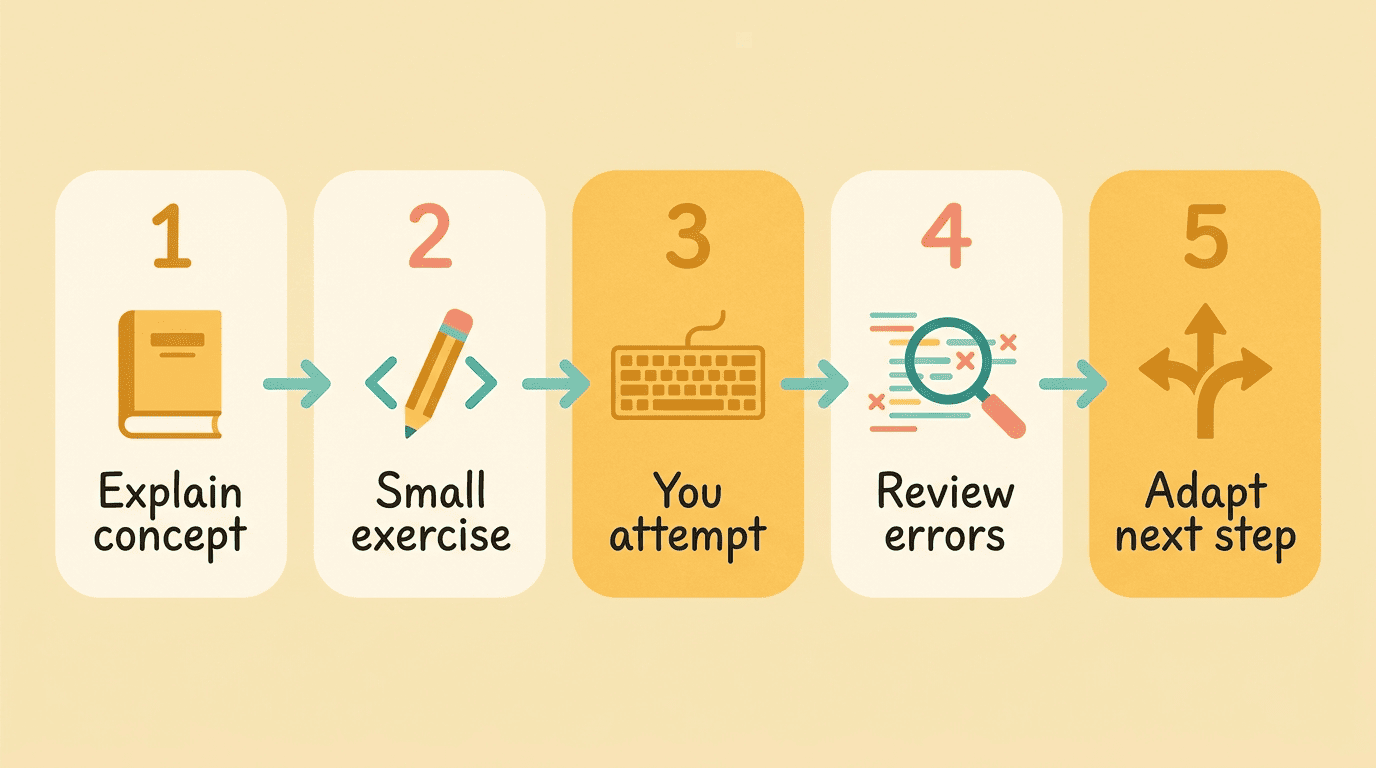
The pattern repeats across most tools: explain a concept, give a small exercise, review your attempt, and explain the errors, then adapt the next step to what you got wrong. Sololearn’s Kodie tutor, for example, has explained millions of Python and JavaScript errors in plain language for learners working through its courses.
How AI Coding Tutors Work Under the Hood
Most AI coding tutors run on large language models wrapped in teaching rules so they hint rather than hand over answers — the model is the same technology behind ChatGPT and Claude, but the prompt layer on top is built specifically to slow it down. That guardrail layer matters more than the underlying model: a tutor built on a mid-tier model with good teaching rules will often out-teach a raw chatbot running the newest model with no rules at all. It’s also why the same base model can feel completely different depending on which product wraps it — one app might dump the full answer immediately, while another walks you through three hints first.
Good tutors deliberately withhold the full solution, a technique borrowed from the Socratic method of teaching through guided questions rather than direct answers. Some products add a visual layer on top of the questioning, showing code execution step by step so you can watch variables change as each line runs instead of just reading a text explanation of what happened.
A well-built guardrail layer usually does a few things at once:
- Withholds the final answer until you’ve made an attempt
- Asks a clarifying question instead of guessing what you meant
- Points at the line where the error likely originates, not just the error type
- Adjusts difficulty based on what you got right and wrong last time
Does Learning to Code with AI Actually Work?
AI could offer more than just 24/7 access to a teaching assistant; it could also enable personalized learning.
Hamsa Bastani, Wharton School
The research
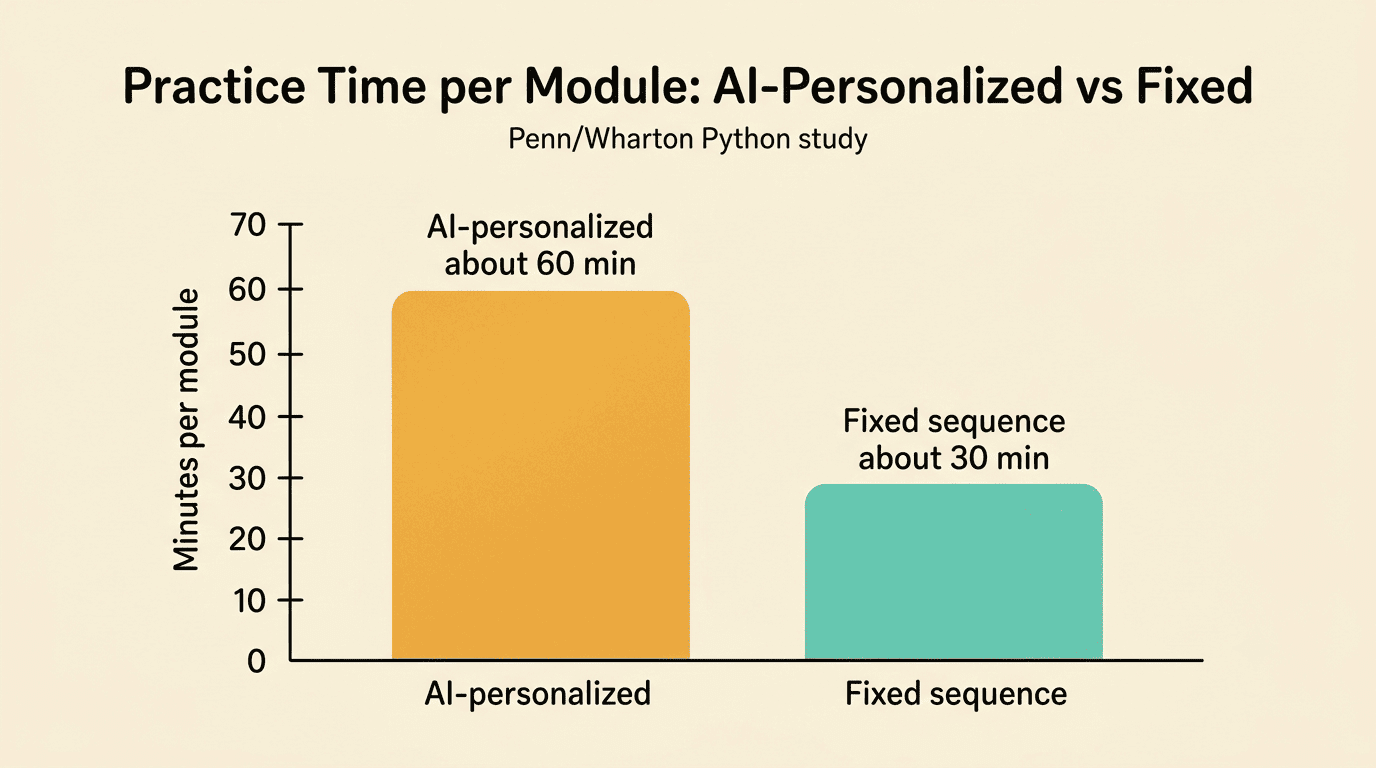
A University of Pennsylvania study led by Wharton and Penn researchers followed close to 800 high school students learning Python over a five-month course. Students who got an AI-personalized sequence of practice problems — difficulty adjusted automatically to their performance — spent roughly three extra minutes per problem, adding up to about an hour more practice per module than students working through a fixed, one-size-fits-all sequence. Students who were new to Python benefited the most; those who already had programming experience did about as well either way. The researchers characterized the overall gain as roughly the equivalent of six to nine months of additional schooling — though the paper’s author cautioned that this unit conversion is “not a perfect estimate,” and the draft has not yet been peer-reviewed.
| Study detail | Finding |
|---|---|
| Sample | ~800 high school students, 10 schools |
| Course length | Five months, Python |
| What changed | AI-personalized problem difficulty vs. fixed sequence |
| Practice time | +1 hour per module for the personalized group |
| Who benefited most | Students new to Python; students from less-resourced schools |
Adoption and the catch
Developer adoption backs this up at scale: 84% of respondents in the 2025 Stack Overflow Developer Survey said they use or plan to use AI tools, up from 76% the year before, and a large share specifically credit AI with helping them learn new skills. The same survey found a widening trust gap — more developers now actively distrust AI output than trust it. That gap is exactly why a tutoring mindset (verify, don’t copy) matters more as these tools get better at sounding confident.
The Main Types of AI Coding Tutors
General chatbots explain and generate practice on demand. ChatGPT and Claude will explain any concept, write practice problems, and answer follow-up questions, but they don’t track your progress or enforce a curriculum — you have to bring your own structure.
Embedded tutors live inside a curriculum. Tools built into a course platform, like Sololearn’s Kodie, pair explanations with a fixed sequence of lessons and exercises, so the “what to learn next” decision is made for you.
Visualizers show code executing line by line. Python Tutor is the best-known example, used by more than 25 million learners including intro courses at MIT and Harvard, and it’s especially good for beginners who can’t yet picture what a loop or a pointer is actually doing in memory.
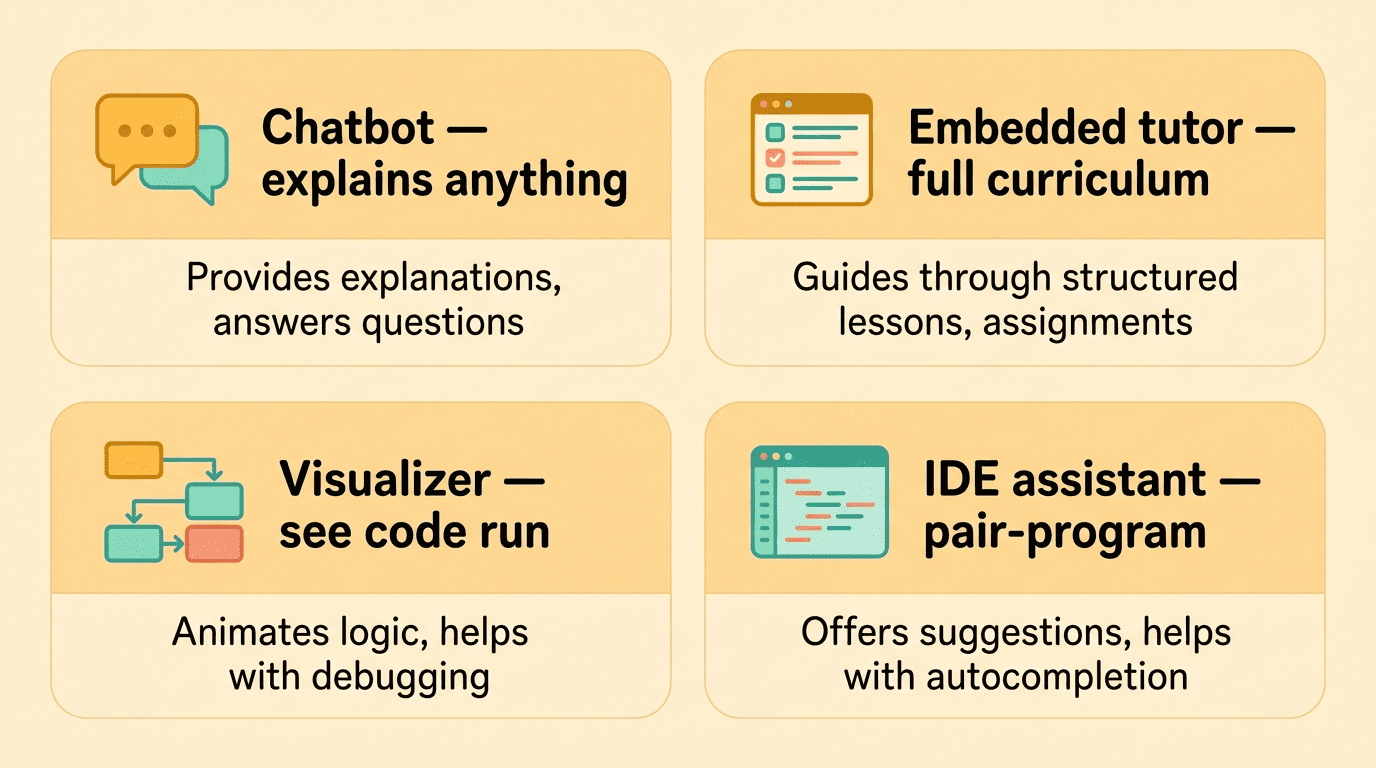
IDE assistants pair-program inside your editor. GitHub Copilot and Cursor autocomplete and refactor code as you type, which is powerful once you can already read code, but risky as a first tool because it can short-circuit the syntax memory beginners still need to build.
The four types roughly map to four different jobs a learner needs done:
- Answering an open-ended “why” question about any language or concept
- Following a fixed curriculum from zero to a finished course
- Watching a program execute one line at a time
- Speeding up real project work once the basics are solid
| Type | Examples | Best for | Typical cost |
|---|---|---|---|
| General chatbot | ChatGPT, Claude | Open-ended explanations, any language | Free–$20/mo |
| Embedded tutor | Sololearn’s Kodie | Structured, curriculum-based learning | Free–$12.99/mo |
| Visualizer | Python Tutor | Seeing execution step by step | Free |
| IDE assistant | GitHub Copilot, Cursor | Pair-programming once you can read code | $10–20/mo |
AI Coding Tutors for Beginners
Where AI helps a beginner most
A few things consistently make the difference between a beginner who sticks with coding and one who quits in the first month:
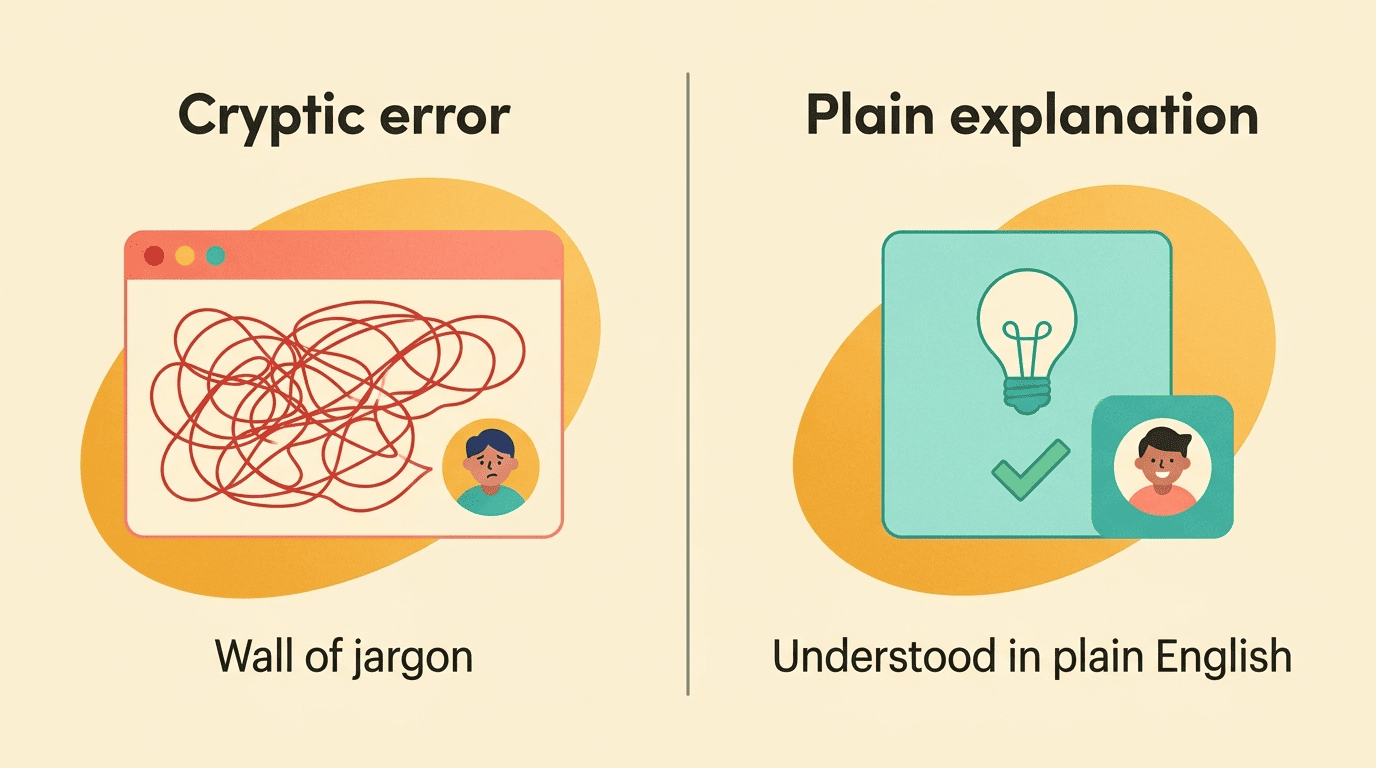
- Turning a scary red error message into a plain-English explanation instead of a wall of jargon
- Generating tiny, targeted practice problems that match exactly where you’re stuck
- Answering “what does this line actually do?” without judgment, at 11pm or any other hour
- Suggesting the next small step instead of the whole finished project
- Explaining the why behind a fix, not just the fix itself
This is where an AI-powered tutor removes the fear that makes most beginners quit before the syntax ever becomes familiar.
Safety for younger learners
Tools built for classrooms add extra guardrails on top of the base model: multi-layer moderation reviews every message before and after it reaches the student, and reputable education vendors commit contractually not to sell student data or use it to train their underlying models. If you’re choosing a tool for a teenager rather than yourself, check for that commitment specifically — it’s usually spelled out in the product’s privacy page, not the marketing copy.
How to Use an AI Tutor Without Making It a Crutch
The risk with any 24/7 AI tutor is real: leaning on autocomplete or full-answer suggestions too early stops you from building the pattern memory that fluent coding requires, and a large share of developers already say they distrust “almost right” AI output enough to double-check it by hand. Treat the tutor as a sparring partner, not an answer key, and verify every explanation against how the code actually runs on your machine.
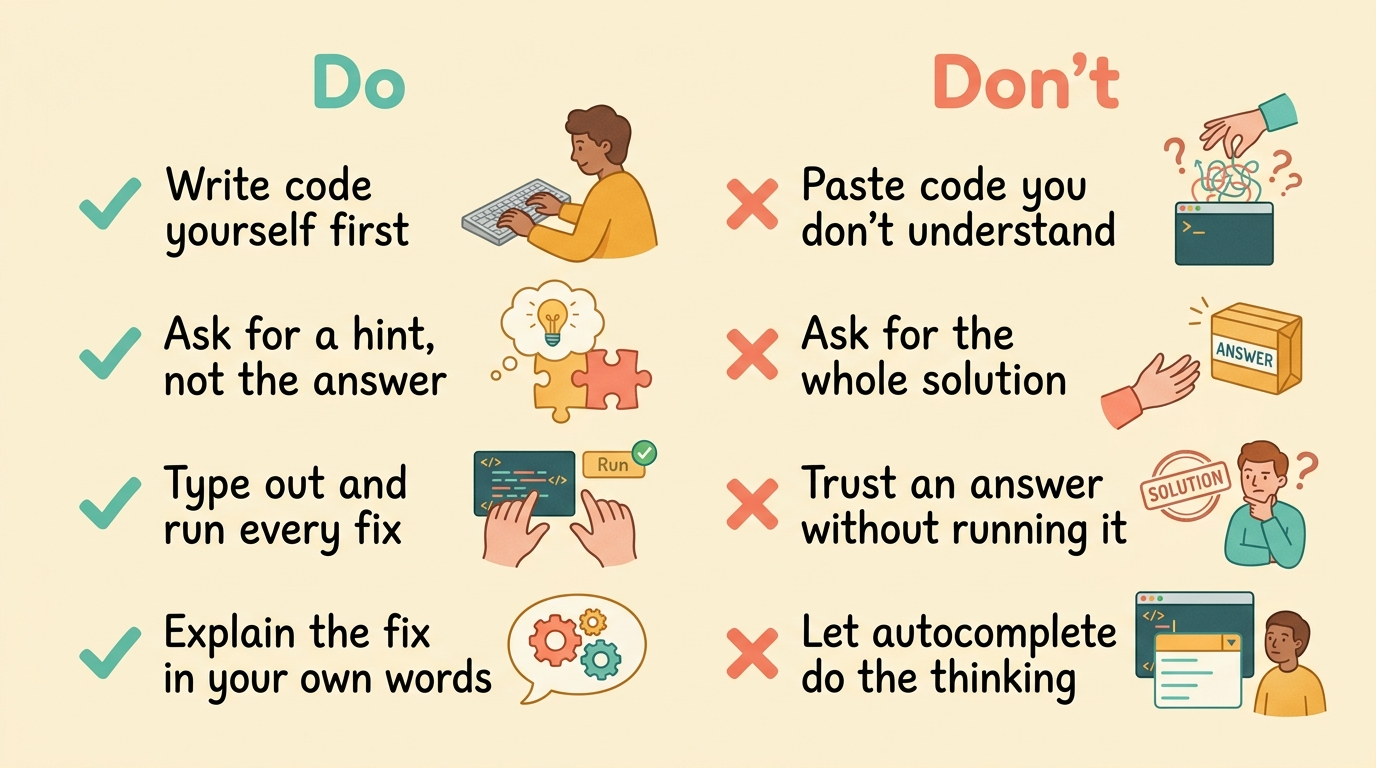
Here’s a simple routine that keeps the balance in your favor:
- Write the code yourself first, even a rough or broken attempt, before you ask the AI anything.
- Run it and read the actual error message before pasting it anywhere.
- Ask the tutor for a hint, not the full solution — most good tools will do this by default.
- Type out the suggested fix yourself instead of pasting it in directly.
- Run it again and confirm it behaves the way you expected.
- Explain the fix back in your own words, out loud or in a comment, before moving on.
- Do ask “why does this work?” after every fix, not just “what’s the fix?”
- Do run and test every AI suggestion yourself before trusting it
- Don’t paste code you don’t understand into your own project
- Don’t ask for the whole solution when a hint would teach you more